
You can use the "Copy Link" feature within the 'EV Ownership Savings' tool to share savings information with a customer or prospect.
Follow these steps:
-
Pull up a vehicle detail page for an EV or PHEV.
- Hit "Personalize Savings".
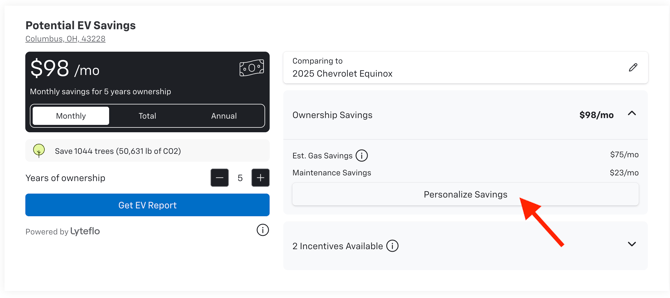
- Select the gas vehicle the customer is currently driving (if known), otherwise, select a comparable gas vehicle.
- Configure the mileage and adjust fuel/electricity costs if necessary.
- When you're finished, hit "Copy Link" at the top.
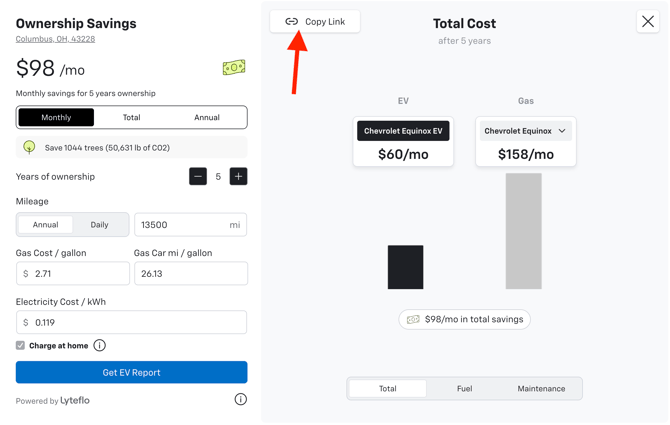
- Paste the link into an email or text message to your customer or prospect.
***Note: The links are tied to a specific vehicle detail page, so the link may get broken if the vehicle gets sold and the page is no longer available.***